
Add your first overlay widget
Put the chat box in OBS as a browser source, style it, and check it with the event simulator.
Overlay widgets are web pages Vfinity serves from your own machine. OBS loads each one as a browser source. They are separate from the throwing overlay, and each widget gets its own URL.
Open the Overlay tab
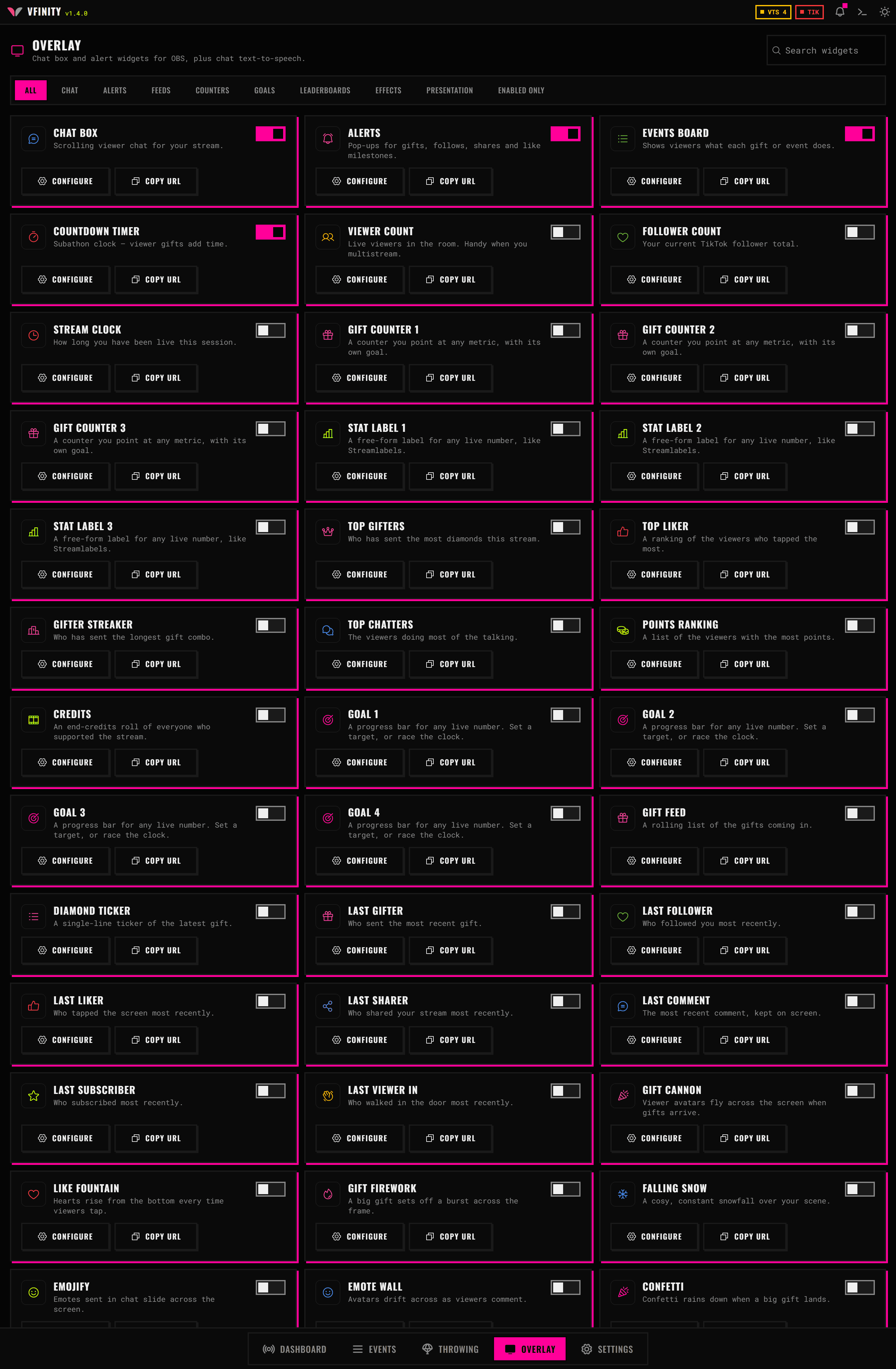
Click Overlay in the bottom bar. You get a gallery of widget cards grouped into categories: chat, alerts, feeds, counters, goals, leaderboards, effects, presentation and interaction.
There is a search box, and it matches the names other tools use as well as Vfinity's own. Searching streamlabels or the jar finds the Vfinity equivalent.
Turn on the chat box
Find Chat Box and switch its toggle on. A widget that is off serves nothing.
Copy its URL
Click the copy button on the card. You get something like http://127.0.0.1:21424/#overlay-chat?lang=en.
Every widget is a different hash route on the same local server. The lang parameter sets the language the widget renders in, independently of the app.
Add it to OBS
- Add a Browser source.
- Paste the URL.
- Set the width and height to the space you want the chat to occupy, not to your whole canvas.
- Clear Shutdown source when not visible, or the widget reloads and loses its history every time you switch scenes.
Style it
Click the card's settings button in Vfinity. Placement, typography, the frame around it, and the entry and exit animations are all in there, and they change live in OBS as you edit.
Check it without a live stream
Go to the Dashboard, open Testing tools, type something into Chat message and click Send chat.
The line appears in the OBS source.
The rest of the catalogue
Vfinity ships more than forty-five widgets: counters, goals, leaderboards, "last gifter" cards, effect overlays like a gift cannon and an emote wall, frames, a coin jar and a stream boss.
Every one is listed in Overlay widgets, and the URL rules are in Overlay URLs.
If OBS shows a blank source
- The widget is off in Vfinity. A widget that is not enabled serves an empty page.
- The port is not 21424. If something else held that port when Vfinity started, it picked another one and said so. The Dashboard always shows the URL that is actually live. Copy it again.
- Vfinity is closed. The server is part of the app. No app, no overlay.
- The source has zero width or height. Check the source properties in OBS.