
Install Vfinity
Download the right build for your operating system, get past the first-run warning, and find your way around the five tabs.
Vfinity is a desktop app. There is no web version and no account to create. Every build is on the itch.io project page.
Download Vfinity_x.x.x_x64-setup.exe. There is also an .msi if your workplace prefers it.
Run the installer. It asks which language to install in, then whether to install for you alone or for everyone on the machine. Installing for everyone needs an administrator prompt.
Launch Vfinity from the Start menu.
Windows shows a SmartScreen warning the first time. Click More info, then Run anyway. Vfinity is not code-signed yet, and an unsigned installer is exactly what SmartScreen is built to flag. See Privacy and safety if you want to check the download yourself first.
Download the build that matches your Mac.
| Mac | File |
|---|---|
| Apple Silicon (M1, M2, M3 and later) | Vfinity_x.x.x_aarch64.dmg |
| Intel | Vfinity_x.x.x_x64.dmg |
If you are not sure, open the Apple menu, choose About This Mac, and read the Chip line.
Open the .dmg and drag Vfinity into your Applications folder.
Right-click the app and choose Open.
Double-clicking gives you "Vfinity cannot be opened because the developer cannot be verified". Right-click and Open offers the same dialog with a button that lets it through. You only need to do this once.
Download vfinity_x.x.x_amd64.AppImage, or the .deb or .rpm if you would rather install through your package manager.
Make the AppImage executable and run it:
chmod +x vfinity_*.AppImage
./vfinity_*.AppImage
What you get on first run
Vfinity opens at 1100 by 760 pixels and draws its own window frame, so the bar across the top is part of the app rather than your operating system. That bar holds the logo, the version, two connection pills for VTube Studio and TikTok LIVE, and the buttons for the changelog, the debug console and the light and dark switch.
Five tabs sit along the bottom:
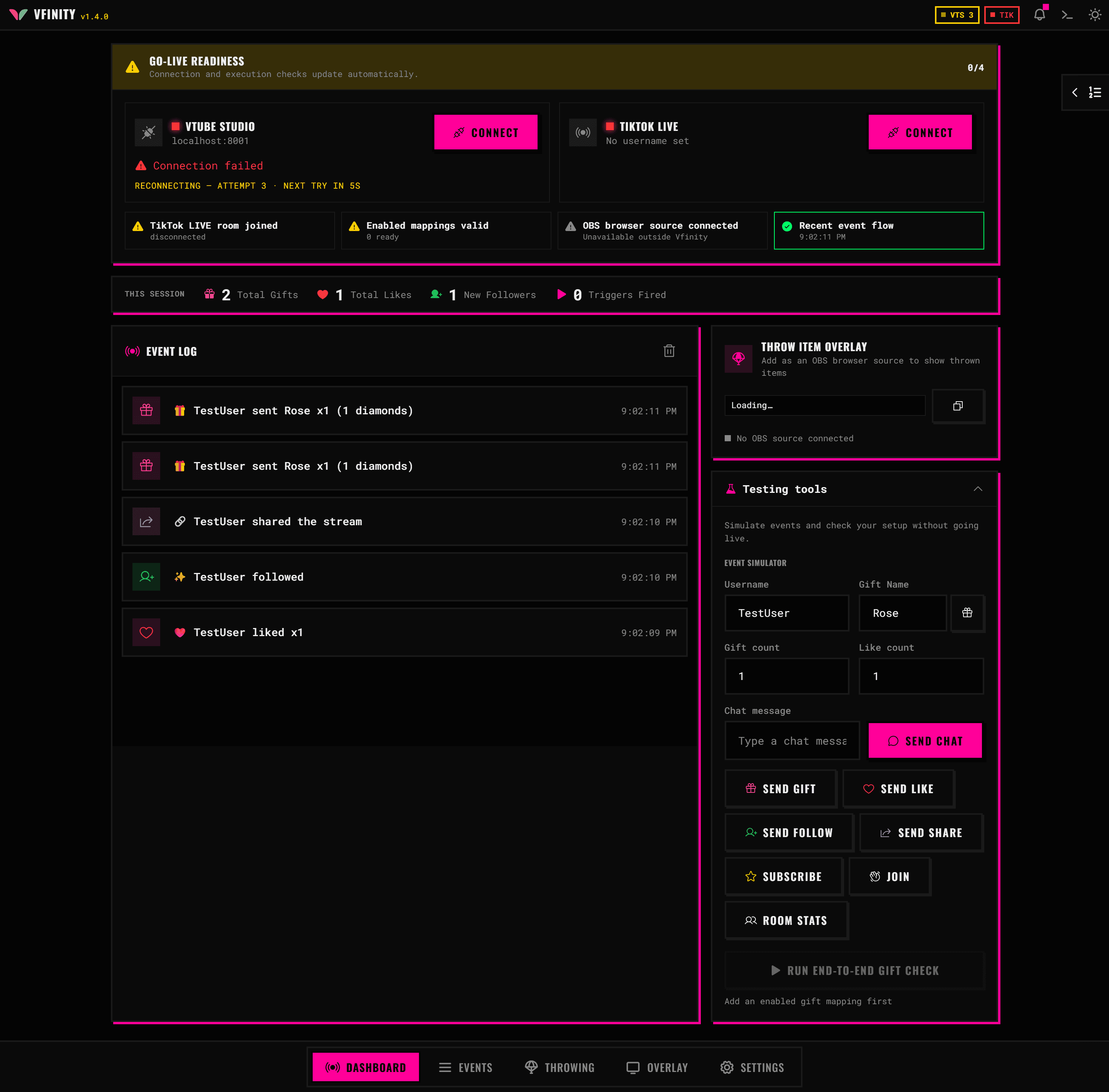
| Tab | What it is for |
|---|---|
| Dashboard | Connection status, session counters, the live event log, and the event simulator |
| Events | The list of rules that say "when this happens, do that" |
| Throwing | The throwing scene: hitboxes on your model, gift mappings and physics |
| Overlay | Browser source widgets for OBS |
| Settings | Connections, appearance and language, backups |
Nothing is connected yet, so both pills read disconnected and the counters sit at zero. That is correct for a fresh install.
Updating
Install the new version over the old one. Your settings, event mappings, throwing scene and themes all stay where they are. Vfinity also tells you when a new version is out, and the bell in the title bar keeps the changelog.